What is boot key full details about phone connecting issue
What is boot key full details about phone connecting issue
a lot of user in the world are now working in mobile servicing software field.
but sorrow to say that among them just little are expert in the field.
a lot of user of the world daily knock me for the issue of connecting phone with device.
this is simple things.just they need to findout boot key for connecting phone with device for working the phone.
so i decided to post a full details info about boot key and phone connecting issue in this articale.
first we should learn about boot key
China phone software repair like Read phone info, Flash, Unlock, Re-lock, Code reset/Unlock etc, and some time need press boot key for USB enable software repair supported flash chip/ICs phone. Its defend on manufacture, models Flash ics Example: Walton, Micromax, Symphony, Karbon, Qmobile and more. and there manufactures several model.
Were under boot key suggestion may work for around all chines MTK, SPD, MStar, Coolsand chip series phone. Make sure use correct cable/Jig then try boot key. by one after one. Make sure even only one key work for boot. So try under boot key use one key step after fail then try next boot key.
Boot Keys
1. Power button
2. Home/Menu key
3. Call key,
4. Camera button (when camera button on phone)
5. 5 key
6. * key
7. # key
8. 1 key
Example: you want to read info, click (read info) button then release boot key.
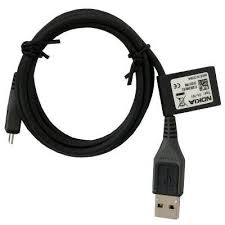
for this operation you should just use normal usb cable
you can not find ur phone boot key so how to detect the phone?
stay with us for more update info
but sorrow to say that among them just little are expert in the field.
a lot of user of the world daily knock me for the issue of connecting phone with device.
this is simple things.just they need to findout boot key for connecting phone with device for working the phone.
so i decided to post a full details info about boot key and phone connecting issue in this articale.
first we should learn about boot key
China phone software repair like Read phone info, Flash, Unlock, Re-lock, Code reset/Unlock etc, and some time need press boot key for USB enable software repair supported flash chip/ICs phone. Its defend on manufacture, models Flash ics Example: Walton, Micromax, Symphony, Karbon, Qmobile and more. and there manufactures several model.
Were under boot key suggestion may work for around all chines MTK, SPD, MStar, Coolsand chip series phone. Make sure use correct cable/Jig then try boot key. by one after one. Make sure even only one key work for boot. So try under boot key use one key step after fail then try next boot key.
Boot Keys
1. Power button
2. Home/Menu key
3. Call key,
4. Camera button (when camera button on phone)
5. 5 key
6. * key
7. # key
8. 1 key
Example: you want to read info, click (read info) button then release boot key.
for this operation you should just use normal usb cable
you can not find ur phone boot key so how to detect the phone?
stay with us for more update info

